Posts mit dem Label n950 werden angezeigt. Alle Posts anzeigen

Donnerstag, 16. Mai 2013

Behind the Scenes: Headset Camera app for the N9

The logical step after the "Volume+ as Camera Button" app (Nokia Store link) for the N9 is another app that allows you to take photos while not touching your N9 at all. While time-triggered photos are fun, remote-triggered photos are.. erm.. "funner"? So what kind of remote "buttons" can we easily get on the N9? The remote control button on the headset is both "remote" and a "button". Also, as seen in Panucci and gPodder versions since the N900, Bluetooth headset buttons can also be queried by applications. So what do we get by combining remote control and photo taking? The Headset Camera app (Nokia Store link) for the N9! Or - for the visual reader - this:


If you want to integrate such features into your own app, the code for querying the headset buttons is readily available in the gPodder source tree (src/gpodder/qmlui/helper.py):
import dbus

class MediaButtonsHandler(QtCore.QObject):
    def __init__(self):
        QtCore.QObject.__init__(self)
        headset_path = '/org/freedesktop/Hal/devices/computer_logicaldev_input_0'
        headset_path2 = '/org/freedesktop/Hal/devices/computer_logicaldev_input'

        system_bus = dbus.SystemBus()
        system_bus.add_signal_receiver(self.handle_button, 'Condition',
                'org.freedesktop.Hal.Device', None, headset_path)
        system_bus.add_signal_receiver(self.handle_button, 'Condition',
                'org.freedesktop.Hal.Device', None, headset_path2)
 
    def handle_button(self, signal, button):
        if signal == 'ButtonPressed':
            if button in ('play-cd', 'phone'):
                self.playPressed.emit()
            elif button == 'pause-cd':
                self.pausePressed.emit()
            elif button == 'previous-song':
                self.previousPressed.emit()
            elif button == 'next-song':
                self.nextPressed.emit()

    playPressed = QtCore.Signal()
    pausePressed = QtCore.Signal()
    previousPressed = QtCore.Signal()
    nextPressed = QtCore.Signal()
MediaButtonsHandler is already a QObject subclass, so you can easily expose an instance of this class to your QDeclarativeView rootContext() and connect to the signals in QML (such a "headset button handler" might actually be a good candidate for inclusion into nemo-qml-plugins in Sailfish OS and Nemo Mobile?). As it's really just using the Python D-Bus bindings to get property changes from Hal devices, the code above should be easy (read: trivial) to port from Python to Qt/C++. Be aware that you need to connect to both .../computer_logicaldev_input_0 and .../computer_logicaldev_input, which can both exist if you have a cable headset and a Bluetooth headset connected at the same time.

You can get the Headset Camera App for the N9 in Nokia Store now, there is also a video on YouTube showing the app. Or start integrating headset button features into your own app or scripts by adapting the code above. One use case that comes to mind is using the previous/next buttons on a Bluetooth headset to control a photo slideshow on the N9 connected to TV-Out. Enjoy :)

Dienstag, 14. Mai 2013

HTML5 Web Apps on Mobile Devices

Get out your Buzzword Bingo cards, we're talking HTML5. And Canvas2D. And WebGL. See? Check them off and then continue reading. So, while writing "native" apps using JavaScript is definitely possible and works great with QML, some games are just simple enough (or want to have a broad enough audience) to warrant writing everything in HTML5.

This might also be a good time to check off XmlHttpRequest on your BB card, even if none of the following games use it - you might want to use it in your applications or game for things such as server-side stored high scores.

As far as Maemo and MeeGo is concerned, you might want to try out some of these games (especially the WebGL variant of One Whale Trip) in Fennec (aka Mobile Firefox - get it for: N900, N950/N9, Nemo Mobile).

Color Lines: This one simply uses Canvas2D, and works nicely on all mobile browsers that I tested - Maemo, MeeGo, Android, WP7.5, BB Playbook, iOS. Comes in at about 650 lines of rather well-documented JavaScript, and could easily be ported to use QML as a renderer if need be (it would be good to have a QML Plug-In that provides a JavaScript context + (a subset of) the Canvas2D API - without using WebKit (cross that off, too), that is). Also, the N900's stock browser has performance problems rendering this, while on the same device in Fennec it's quite playable.

Circle1D: This is a straight Python-to-JavaScript port of a lame 2D "Physics" Engine. It's kept very (read: very, very) simple, and collision detection could be done in a nicer way, but the inefficiency of it provides a nice benchmark for comparing JavaScript engine performance (I'm sure you can find "engine performance" on your bingo card as well) on mobile devices. The N900's default browser can't handle it at all, but Fennec can at least render/simulate it, albeit slowly.

One Whale Trip: This game actually started out as a Python game for PyWeek last September, which was also ported to the N950/N9, but as a test for trying out WebGL, I decided to port it from Python/PyGame to JavaScript/Canvas2D and then to WebGL (the Python version also contains two renderers - a "blitting" one using PyGame surfaces, and an OpenGL one using OpenGL [ES 2 on mobile]). The Canvas2D version works again in all modern mobile browsers (same as above), the WebGL only works on browsers supporting WebGL, for example Fennec/Firefox on both the N900 (even though very slowly) and not in any of the stock browsers (even not the one on the N9). As WebGL is "roughly" the same as OpenGL ES 2.x, one could imagine sharing at least shader programs for a possible C++-or-JavaScript cross-platform application.

So yeah, for smaller applications and/or games, HTML5 is definitely an option. In Firefox OS, your HTML5 web app will - also with WebGL - work and integrate nicely as "native" app. If you also want to create "native" applications (maybe after finishing the HTML5 version), consider encapsulating your JavaScript code so that you can re-use it in QML code, or (in case of WebGL apps), at least design the rendering part of your application in such a way that the code/architecture and shader programs can be shared with a C++ port of your existing HTML5 app.

Another option that's worth considering: Writing a compatiblity application layer that can load (specially-crafted) WebGL subset applications and display them on a fullscreen SDL-(or Qt)-provided window. Applications written in this WebGL subset could then be deployed on the web as HTML5 application or "natively" running on top of a JavaScript engine only. I'd call that "webglenv", and no, I haven't written it yet.

Sonntag, 12. Mai 2013

Petals for Harmattan - A pure Qt4/Qt5 JS/QML puzzle game

Next up in my list of things I did in the last weeks/months and never blogged about is Petals (Nokia Store link), a "beautiful, brain-teasing puzzle game for 1-4 players" if the game's website is to be believed (I would like to think it is...). As always, there's some technical details about the porting and creation of this game. While another recent game (Tetrepetete) has been done on a low level (C++ using no frameworks, and interfacing with multiple front-ends directly, including an OpenGL ES frontend, a console-based ncurses frontend(!) as well as a server-sent events/XHR/Canvas2D-based HTML5 frontend(!!)), this one is approaching things from a very high level: JavaScript.

Petals: A puzzle game written in pure JavaScript and QML
The gameplay logic of the game is implemented in pure JavaScript (without any QML dependencies), so it could easily be ported to, say, HTML5, but for integration reasons, QML seemed like the better choice for a release on the N9/Harmattan. Also, writing things in JavaScript wouldn't preclude a console-based frontend using nodejs and node-ncurses from happening should the need arise (making the flowers look good in ASCII art would be the challenge there - or cheating by using libcaca). Ok, ok - stop cursing, I'll stop talking about curses (cue laugh track).

Writing pure QML applications has the advantage of easing porting to Qt 5. While QtQuick 1.1 still exists on Qt 5 (and is the only QML option at the moment if you are also targetting iOS), QtQuick 2.0 is usually the better choice for performance reasons.

In my case, the changes necessary to port from QtQuick 1.1 to QtQuick 2.0 were:
  • Change "import QtQuick 1.1" to "import QtQuick 2.0" (sed(1) helps here)
  • Instead of assigning a JavaScript function to a property to create a dynamic property binding (item.someprop = function() { return otheritem.otherprop * 3.0; }), this function has to be wrapped in a call to Qt.binding() in Qt 5 (see "Creating Property Bindings from JavaScript" in the Qt 5 docs)
  • Instead of using SQL Local Storage directly as in QtQuick 1.1, use QtQuick.LocalStorage 2.0, which you can still do in your .js files - use ".import" as described in this blog post
  • In your C++ launcher (in case you need one), QApplication becomes QGuiApplication, and QDeclarativeView becomes QQuickView
  • Use "QT += quick qml" instead of "QT += declarative" in your qmake project file
And that's basically it. Of course, as this is a full-screen game with custom UI, no platform-specific components (such as Harmattan Components or Sailfish Silica) are used, so porting is a bit easier there (no need to "wait" for specific components to be compatible with QtQuick 2.0, which might realistically not happen at all for Harmattan Components). More screenshots of Petals and download links for multiple platforms can be found on the Petals Website.

Dienstag, 19. Februar 2013

MP3 playback in Nemo Mobile on the N950

If you've been playing with Nemo Mobile on your N950 recently, and wanted to do more than just swipe around the Lipstick UI, you might have noticed that while there's a music player app, it can't playback MP3 files (OGG files seem to work fine). This is a quick'n'dirty log of what I had to do to get MP3s playing (I've checked in the repos for something similar, but couldn't find it):

First, install the Mer Platform SDK:
https://wiki.merproject.org/wiki/Platform_SDK

Then, get SB2 (for armv7hl, as this is what Nemo-on-N950 uses):
https://wiki.merproject.org/wiki/Platform_SDK#Compiling_with_the_SDK

Then, set everything up so you can use "nemo-n950" as target with sb2:
https://wiki.merproject.org/wiki/Platform_SDK_and_SB2

Install build dependencies (you might need more than these, use "zypper se " to search for package names):
sb2 -t nemo-n950 -m sdk-install -R zypper in gstreamer-devel gst-plugins-base-devel gst-plugins-bad-free-devel gstreamer-tools orc-devel zlib-devel

Get the gst-ffmpeg sources (use version 0.10.11, due to bug 655238):
http://gstreamer.freedesktop.org/src/gst-ffmpeg/

Extract the sources, then do:
sb2 -t nemo-n950 ./configure --prefix=/usr
sb2 -t nemo-n950 make
mkdir tmp
DESTDIR=$(pwd)/tmp/ sb2 -t nemo-n950 make install
cd tmp/
scp -r . root@192.168.2.15:/

The last step obviously assumes that your device is connected and USB networking is properly set up. And then we hear somebody say "Well, but why not package it properly?". Ok. Take this modified gst-ffmpeg.spec file (based on gst-ffmpeg.spec already included in the sources). Then build a package using:

mb build -t nemo-n950 gst-ffmpeg.spec

This will leave you with gst-ffmpeg-0.10.11-1.armv7hl.rpm in ~/rpmbuild/RPMS/armv7hl which you can then scp and rpm -i to your device.

Dienstag, 13. November 2012

The quick way to USB tethering via SSH on your N9

Here's something obvious (and I'm sure it has been discussed before, I just can't find the link right now), but it might be helpful if you haven't played around with SSH much yet, and your Wi-Fi Hotspot isn't working (the case for me right now). The goal is to get an internet connection over your N9/N950 from a PC (tested with Linux, expected to work with OS X and probably also works on Windows - on Windows you might need something like PuTTY).
  1. Enable developer mode on your device
  2. Connect your device to your computer via USB
  3. Select "SDK mode" when asked for the USB connection type
  4. Use the SDK connection utility, and select USB connection
  5. Note the password displayed in the "Connectivity Details" screen
  6. On your computer, use "ssh -D 9898 developer@192.168.2.15"
  7. Accept the host key question, and enter the password from step 5
  8. You should be greeted by a Busybox prompt "/home/developer $" - leave that open in the terminal window in the background
  9. At this point, a SOCKS proxy server is running on port 9898, and you can use it in any applications supporting a SOCKS proxy (there are even utilities like socksify(1) (Debian package: dante-client) that make generic network applications work through a SOCKS proxy)
  10. To use it in Firefox, go to Edit - Preferences - Advanced - Network - Settings..., then choose "Manual proxy configuration" and set "SOCKS Host:" to localhost and port to 9898 (be sure to disable the proxy again when you want to browse via a normal Wi-Fi/Ethernet connection)
Instead of doing steps 4 and 5, you can set up a permanent password for your "user" account on the N9, and even set up a SSH key on the N9 to avoid having to enter the password. You can make step 6 simpler by adding an entry to your ~/.ssh/config file (on your host) - see ssh_config(5) for details:

Host n9proxy
    HostName 192.168.2.15
    User developer
    DynamicForward 9898

After that, a "ssh n9proxy" (possibly followed by the developer password) is all you need to set up the proxy. This method is arguably easier (and definitely safer) than using the Wi-Fi hotspot, and instead of using up battery on your N9, it gets charged via the USB port while you are using it.

By the way: You will have to manually connect your N9 to your mobile internet connection, this won't happen automatically.

Samstag, 28. Juli 2012

gPodder 3.2.0 (and 3.2.1) released for Harmattan

gPodder 3.2.0 "The Great Radish Famine" has been released this week, and some users (not including me, otherwise I would have caught the bug earlier) had problems with the upgrade (see bug 1627 for details), so that's why gPodder 3.2.1 is already on its way to AFM and Nokia Store today. Expect the bug fix to appear as an update in the next few days.

Highlights of 3.2.0 are an improved UI (e.g. cover art in the "All episodes" list) and Flattr integration, so you can now support podcast authors via micropayments (you'll find the Flattr button below the shownotes for podcasts that publish a Flattr URL).

The gory details about what went wrong with packaging this time can be found in the 3.2.1 blog post, and bug 1627 contains - special thanks to Reiner for providing the necessary debugging info needed to get this sorted out (again, I was not experiencing this bug myself).

If your 3.2.0 update worked out fine (the bug didn't affect all users), this is not for you - just enjoy 3.2.0, and install 3.2.1 when it comes out :)

Mittwoch, 28. März 2012

gPodder 3.1.0 in Apps For MeeGo Staging and Nokia Store

A new version of gPodder has been released, and the package is already available from Nokia Store here, and waiting for your QA feedback in Apps For MeeGo here. This works for both N950 and N9 users. To get access to Apps For MeeGo, go to http://apps.formeego.org/ on your device, and install the Client from there.

The new gPodder version comes with some improvements for Harmattan users:

  • Redesigned artwork for the main window and episode list
  • Better arrangement of podcast list and cover artwork there
  • New preferences menu, containing gpodder.net and orientation settings
  • New empty state UI for first-time users
  • Various other changes to be more in line with the UX Guidelines
  • Context menu item to delete episodes without downloading them

I hope you enjoy this new release - please report any issues you find or ideas you have at http://bugs.gpodder.org/ - and don't forget to QA the package in Apps For MeeGo.

Samstag, 14. Januar 2012

The N9 week: Hack-A-N9, gotoVienna, Camerra, gPodder

While the first week back in Vienna after the holidays was sad for a Maemoista walking around in the city (aka Admazing (sic) Everyday), there was also enough time to release gPodder 3.0.3 (already in AFM - thanks, testers!), catch up with local Maemoistas at the Hack-A-N9 and work on gotoVienna, the Camerra hack and even more post-3.0.3 gPodder goodness. But one after the other..

gotoVienna is a public transport live ticker app by kelvan. In the days after meeting at the Hack-A-N9, we implemented a nice line number input UI that makes it easy to quickly get live information for a given line - the code is in Git, and as a side-product, merlin1991 has implemented a stdeb/distutils extension to inject an Aegis manifest and create the digsigsums file - check it out if you want to build Python packages for Harmattan without Scratchbox/the SDK.

Next up is the Camerra hack, a quick'n'dirty "app" that monitors the Volume+ hardware button and (when the Camera UI is in the foreground) simulates a click on the shutter button, effectively making the Volume+ work as a shutter button. Ideal for all your self-portraying needs! It's called a hack, because it uses the likes of xprop and xresponse directly - a "proper" implementation would use QmSystem, XTest and Xlib from C/C++, just in case someone feels like spending time on rewriting something that Works For Me ;) There's a support thread on t.m.c, the Python and PySide powered code is available on Github, and the package is available on the website and (hopefully soon) also on Apps For MeeGo.

As for the post-3.0.3 gPodder goodness: Episode list filters (bug 1527) are currently being developed, a first patch is already written, and screenshot 1 and screenshot 2 show you how it currently looks. Don't forget to report any bugs and feature requests over at bugs.gpodder.org - don't keep them for yourself! :p

And now for the next two weeks for something completely different (i.e. Uni semester wrap-ups, exams, lab interviews and lab exercises).. ;) Enjoy the newly released stuff!

Montag, 9. Januar 2012

gPodder 3.0.3 for Harmattan

A new version of gPodder - a podcast and video manager - has been released today. In addition to improvements to the existing YouTube support, this version adds support for downloading videos from Vimeo (so if you wanted to get ahold of ye olde Maemo 5 "Getting Started" video from two years ago, subscribe to metalab on Vimeo, but I'm pretty confident that you can come up with better uses of the Vimeo support ;).

Anyway, the new king of Harmattan repos is Apps For MeeGo, as everyone knows, and so start your Community QA engines and review gPodder 3.0.3 in Apps For MeeGo Testing. If you don't have the Apps For MeeGo Client on your N950 or N9, click here to download the enabler. It has also been uploaded to Ovi Publish, but if and when it appears there is anyone's guess. Don't hold your breath and switch to Apps For MeeGo for downloading (and publishing if you do!) your open source Harmattan apps.

The 3.0.3 version of gPodder packs some long overdue improvements to the Harmattan QML UI (for example, the toolbar has been cleaned up, an about box has been added and you can now check for new episodes from the toolbar) with more to come in the future. In general, 3.0.3 should provide you with a more Harmattan-esque user experience. You can always get your wishes and problems heard at the gPodder bug tracker - make use of it! :)

Sonntag, 8. Januar 2012

Maemo devices in movies: 770 and N950

Jukka just posted "No such thing as silver N950 except for Transformers 3 ;)", which reminded me of the movie appearances of the Nokia 770. But first to the silver N950 appearance which I somehow missed: A quick TMO "site:"-search reveals the obligatory thread for the N950-in-Transformers 3 appearance with a frame grab by ro25anav:

As for the 770, it starred in a Harold and Kumar movie, in a Fantastic Four movie and in a Die Hard movie, but you probably already knew that. The 770 appearances are well documented (with screencaps) over at starringthecomputer.com if you don't have the time to watch all three movies. Any other movies in which Maemo devices appear? What about the N800, N810 and N900? Googling doesn't really yield any useful results, with most hits being about "watching movies on device so and so".

Sonntag, 4. Dezember 2011

This weekend's releases: Tap Tap N950, qw.py and the IP Address Widget

Over the weekend, I've pushed out some code for your enjoyment: First up is the incomplete but maybe interesting QML source code of the Tap Tap N950 prototype. I probably won't find time to work on this, but it would be sad to let the small piece of code rot - maybe someone wants to pick up the development of it. I'll answer any questions related to the code in the thread :)

Next up is the open source release of the qw prototype "qw.py", which has been developed during the Super GameDev Weekend 2010 at the Metalab Vienna last December (the next one is at the upcoming weekend; stop by if you are in Vienna!) - nearly 1 year ago. This is not the same as qw The Game in Ovi Store, but it's an earlier version, which still contains multi-player support (4 players on one PC keyboard), and it's written in Python, so it should be easily hackable.

And last but maybe not least is the IP Address "Widget" for Harmattan. This small hack (which is inspired by the earlier Calenderr calendar icon hack) makes use of the fact that the Harmattan UX reloads the icon of an application whenever the .desktop file or the icon file itself changes. The details (and a .deb for easy installation) can be found on the website - basically it shows a way to have semi-interactive "widgets" on the app list on Harmattan. I'm sure that creative readers can come up with some cool ideas :)

Montag, 21. November 2011

Plonk (formerly known as Mong) for Harmattan

Plonk (formerly known as Mong, but renamed since) is now available in Nokia Store for the N9 and N950 as free download:


This is a multi-touch game for two persons, so go out into the big blue room and ask somebody to have a game of Plonk with you :) As you probably already know, this game has been developed at the MeeGo Conference in collaboration with Cornelius Hald and Tim Samoff - sounds have been recorded directly at the hacker lounge by Erik Stein, and Randall Arnold came up with the new name. A real collaborative project, and the source is available from Gitorious! One challenge with Harmattan was disabling Swipe, we solved that with a nifty little class called SwipeControl - it's open source if you want to use it in your game, too :)

Dienstag, 15. November 2011

Hack Tuesday: Tap Tap N950 and Calenderr

The unexpected lack of lectures today (Tag des Landespatrons) left time for some one-off hacks, and here are two for you:

First up is Tap Tap N950, a very basic QML prototype of what could become a funny DDR/TTR clone - no code published yet, it still need some more polishing (and touch area support for multi-touch, plus scoring is also missing).

The other one is a simple hack to make the Calendar app icon always show today's date (day-of-month). The existence of calendar icons for each day (1-31) in the theme on the device lets me suspect that this feature was either planned and then abandoned or that it will come built-in in some future firmware. For now, you can grab this lame shell script and execute it (ideally with "nohup" - see the comment inside - also needs customizations if you changed your root password, and you definitely need developer mode for now) to have an auto-updating calendar icon until the next reboot. Watch the accompanying video for a quick demo. There's now also a forum thread for support and discussion. Sometimes I really wish cron was pre-installed on Harmattan..

Bonus exercise: Store your app's .desktop file in /home/user/.local/, generate the icon dynamically via code and update the .desktop file for some icon overlay action / new items notification ;)

Donnerstag, 20. Oktober 2011

Games (and their backstory) for your N9, N900 and N950

I've recently been asked again about the games I wrote for mobile devices, so here it is: The post with an overview of the games, with some not-so-well-known backstories and information on where to get them for different devices. Plus a little teaser hidden somewhere.

Gaberln (N950, N9 (+Symbian): Ovi Store, N900: Maemo Talk)
This game is a simple soccer ball juggling game - developed using QML, in collaboration with Tim Samoff, who did the great artwork (and who also did the Mong artwork) - we still have to add some more features, and Tim has already done the graphics for a special hacky sack mode, let's hope we get around to finishing it at some point :)

qw The Game (N950, N9 (+Symbian): Ovi Store, N900: .deb on request, @qwgame)
This game is similar to Qix, but has its own style, and the enemies are a bit different from Qix - but it basically is an area filling game. The reason why the game is called "qw" is because it started out as a small Python hack (qw.py) during the Super Gamedev Weekend 2010, and qw were the first two letters on my keyboard. A nicer explanation is that it can be spelt (in German) like Cuvée and a reference to the different blend of different photos (flowers, places, animals) that you have to play through. The photos have been done by vogelvau, the menu structure is done using QML and the gameplay itself uses a QGraphicsView-based drawing engine.

That Rabbit Game (N950, N9, N900 (+Symbian): Ovi Store, @thatrabbitgame)
This is my first game to be published in Ovi Store; it's a "inverse duck hunt"-style game where you control the flying rabbit head, and have to get yourself shot by approaching the crosshairs and keeping steady. Flapping the wings is done by touching (the strength depends on the duration of the touch) and moving left and right is done using the accelerometer. The initial version of this game was developed in Java as an Android game for an OpenGL ES course at our University (PDF). The game for Maemo, MeeGo and Symbian is a complete rewrite in C++/Qt with the artwork taken from the original game, which I did myself in Inkscape. There is also a webOS port using OpenGL ES.

Tennix (N900, N8x0: Extras)
This one is quite old, and is actually based on a really, really old codebase of a school project from 2003. In 2007, I decided to port it to SDL for Desktop Linux, Mac OS X and Windows, and since SDL is available on Maemo as well, I then ported it to Maemo 4 in January 2008. A special "2009 Edition" was created for the N900, with updated controls and a Python-based AI enemy (using the CPython API / libpython). What about Harmattan you ask? Well..

Some of these games are just free and closed source for now. I do, however, definitely plan to release them as open source in the future. The problem is having used non-free artwork in the early prototyping stages (i.e. getting "something" visible in the engine) before replacing them with my own artwork, so I'll have to make sure to remove these things from the repository history before publishing the source. Also, code cleanups need to be done ;)

Download and enjoy the games - I'd be grateful if you could leave some feedback (either via Ovi Store, Maemo Talk, comments here or e-mail).

gPodder 2.20 for Maemo 4 and Maemo 5, 2.950.14 for Harmattan

gPodder 2.20 has been released. New packages are already available for Maemo 4 (in Extras) and Maemo 5 (in Extras-Testing). If you are using gPodder on Maemo 5, please test the package and vote for it on the package page, so it can get promoted to Extras when it has been tested by the community.

For all N950/N9 users: The Harmattan build of the gPodder QML UI is available for free in Ovi Store. The version available in Ovi Store is a development snapshot of the "tres" branch, where we will have an official release soon. I'm using it on a daily basis, and it's very stable and usable - new features will be added as we go along, so check out the new gPodder! You can grab the source code from the harmattan branch in our Git repository.

Montag, 19. September 2011

SwipEout - Python + OpenGL ES 2.0 on the N950 (and N900!)

Last weekend I've been toying around with Open GL ES 2.0 on the N950 after finding a nice Xlib-based Python example on the web for the N900. I modified the code a bit, replaced the Xlib code with a QGLWidget from QtOpenGL (via PySide), which makes the setup a lot easier and (apart from API differences of GL ES 2.0 and Desktop GL) allows me to test the prototype on my normal computer as well.

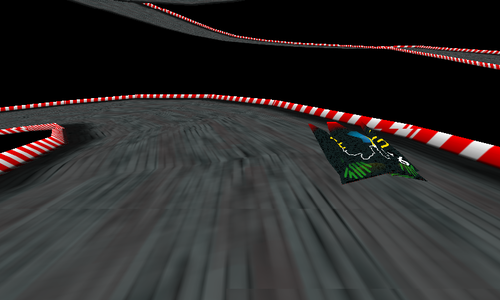
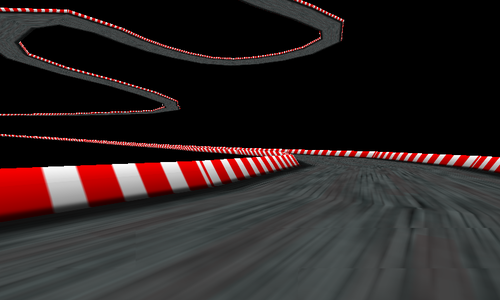
After I got the hang of it, I decided to come up with some fancy 90s-style hover racing game (only texturing, no lighting), or at least parts of it - right now, the small hovercraft just runs around the track and you can shift it left and right via the touchscreen and switching between normal and bird's view by pressing any hardware key.

As for the GL ES bindings (this is the interesting/useful part to developers who want to access the GL ES 2.0 API from Python), I put together a naive header-to-ctypes binding generator for the GL ES 2.0 API which you can run on "gl2.h" from the Qt SDK's Madde sysroot (too lazy to search for a working binding generator that surely exists somewhere out there already) - or just grab the generated "gles2.py" from the SwipEout source tarball. The result? Video it yourself.


You can grab the source code and miscellaneous files from the SwipEout website. The code was tested on the N900 and N950, you only need Python, PIL (python-imaging), PySide and the Open GL ES 2.0 libraries (libGLESv2.so) installed. Removing the PIL dependency and replacing it with Qt-based texture loading is left as an exercise for the reader. Enjoy :)

Donnerstag, 1. September 2011

qw The Game 1.5.1 is here - for MeeGo and Symbian

Control the white ship to fill areas.
Last December, I started to work on a new game: qw ("cuvée"), an area filling game similar to Qix. Since the tech demo has been released, I've been working on a fancy QML menu, a balanced scoring system, nice rendering effects for enemies and the player's trail and obviously some more levels, which results in this new release, version 1.5.1, with 13 high-definition images that are waiting for you to get their colors back.

The game is now available from Ovi Store for N950 and N9 users, and also for Symbian devices - the advantage of the MeeGo version being that it has higher-resolution artwork (it fully utilizes the higher screen resolution) and sound effects (for some reason Qt Mobility's QML SoundEffect has its problems on Symbian). Both versions use the feedback motor of the device for feedback when you draw, fill or die.

Here's a gameplay video of the first 3 levels, so you can get a feeling of how the game plays: