Montag, 19. September 2011
SwipEout - Python + OpenGL ES 2.0 on the N950 (and N900!)
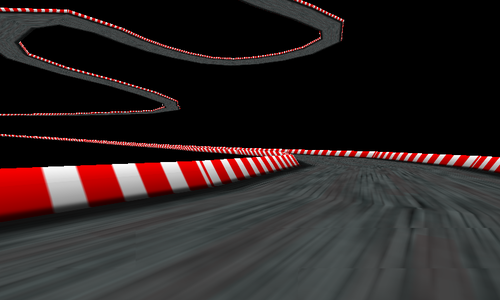
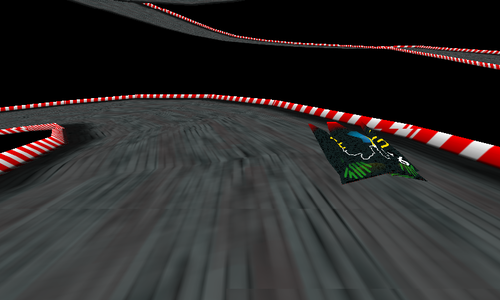
After I got the hang of it, I decided to come up with some fancy 90s-style hover racing game (only texturing, no lighting), or at least parts of it - right now, the small hovercraft just runs around the track and you can shift it left and right via the touchscreen and switching between normal and bird's view by pressing any hardware key.
As for the GL ES bindings (this is the interesting/useful part to developers who want to access the GL ES 2.0 API from Python), I put together a naive header-to-ctypes binding generator for the GL ES 2.0 API which you can run on "gl2.h" from the Qt SDK's Madde sysroot (too lazy to search for a working binding generator that surely exists somewhere out there already) - or just grab the generated "gles2.py" from the SwipEout source tarball. The result? Video it yourself.
You can grab the source code and miscellaneous files from the SwipEout website. The code was tested on the N900 and N950, you only need Python, PIL (python-imaging), PySide and the Open GL ES 2.0 libraries (libGLESv2.so) installed. Removing the PIL dependency and replacing it with Qt-based texture loading is left as an exercise for the reader. Enjoy :)
Freitag, 4. Februar 2011
gPodder/QML status (with screenshot and video)
Ohai February. The winter term is over; time for some gPodder QML hacking. This means that gPodder gets a new UI, and the structure of the application and the usual workflows also change a bit, based on the experiences with gPodder on Maemo 5. One of the most important changes will be that content will be played inside gPodder, as this provides even more control over playback and resuming than what the MAFW integration with the Maemo Media Player can provide.
Most of this has been done in the last two days. Thanks to Python, PySide and QML, I'm able to reuse the gPodder codebase (feed parsing, downloading, etc..) and just slap a lightweight QML UI on top of it.
Andrew Zhilin (aka wazd) has helped a lot with the design and the artwork, but see for yourself (this is a screenshot, not a mock-up):
And here is a video of the current performance on a N900:
Feedback, as always, welcome :)
Montag, 11. Oktober 2010
gPodder 2.9 for Maemo 5 in Testing
A new release of gPodder is out. Test it and vote! It has got some fine-tuning of the UI for Maemo 5 users that you will discover one by one. I just want to highlight two UI changes that should enhance the user experience, and compare them to what the previous version had.
The episode list
gPodder 2.8 introduced MAFW integration, and with it came the ability to save position and duration information for each episode. This was displayed in the episode action dialog, but not in the episode list. We now display the position and duration in the episode list, which allows you to quickly scan for an episode depending on its duration (or check how far you have come for a given episode). In the "All Episodes" list, we also display the podcast name for each episode so that it is clearer from which podcast an episode is coming (the content of the episode "Mini Book Reviews" is much more predictable if you know that it comes from "Python411").
Updating feeds
Previous versions of gPodder changed the "Check for updates" button into a combined progress indicator and cancel button. It was not really obvious to first-time users that you can cancel the feed update, and if you accidentally tapped the button twice, the feed update would be cancelled and you might be confused. gPodder 2.9 introduces a fancy new progress bar that appears (and even slides in and out thanks to hildon.AnimationActor) during the update and has a more obvious red cancel button. With the gained screen space (the progress bar is much bigger), we can also show more information about the update process, like the name of the updated podcast.
A detailed changelog can be found at http://gpodder.org/changelog/2.9. Of course, the Maemo 4 (N800, N810) package has also been updated, and is available from Diablo Extras right now.
Dienstag, 24. November 2009
Experimental Maemo 5 UI: gPodder Episode Actions
With the Long Weekend just a little more than one week away, I though about doing some experiments with gPodder's UI. Some users want a quicker way to play/download/delete episodes instead of opening the shownotes window and using its application menu. Here's one approach I tried out today (I know the icons are pixellated and ugly - please consider them as placeholders):
The idea is that you click on an episode, and instead of opening the shownotes view, you get this selection screen where you can choose to play/download/delete the episode or view the shownotes. Of course there have to be some fancy animations, because that's what all the cool kids do today. Just watch the video on YouTube and tell me what you think in the comments here (especially in terms of non-standard UI and annying animations - seriously ;).
In unrelated news, headphoned 1.4 for N800/N810 has been released and pushed to Maemo Extras with support for Panucci and MPlayer for all your "public transport situation" avoidance needs.